


Zen Tiles - Mahjong Match
4.82.82K Reviews
App Specs
- Version
- 2.8.1
- Updated On
- License
- Free
- Downloads
- 1,000,000+
- Developer
- Bluetile
- Categories
- Puzzle
- Platform
- Android, iOS
Screenshots
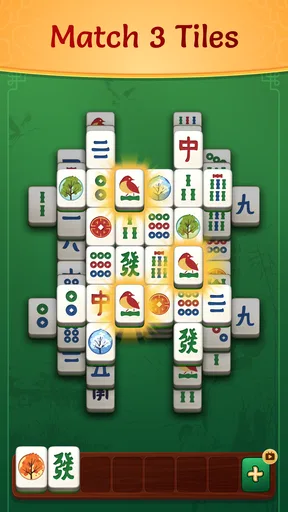
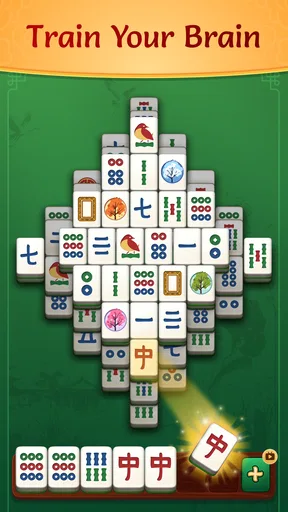
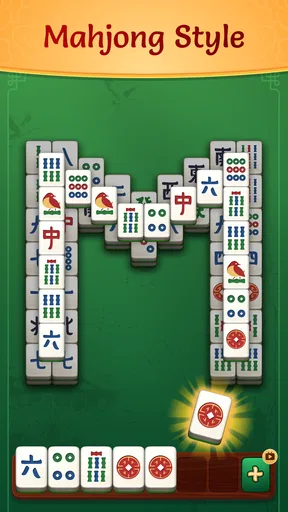
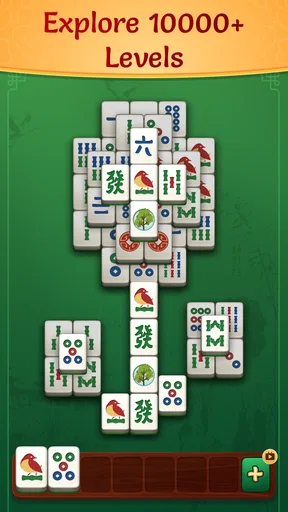
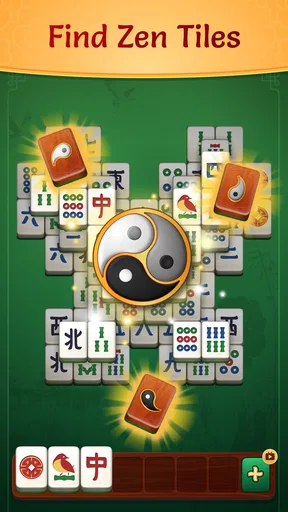
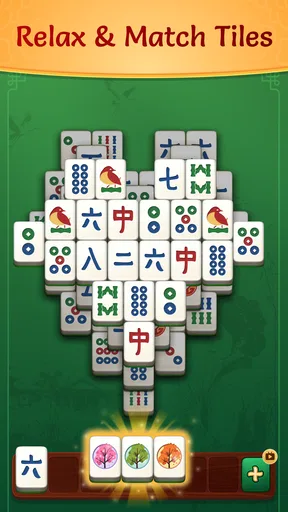
 Analysis by AppCompare
I usually reach for a tile puzzle when I want something absorbing but don’t have the energy for a complicated game. Zen Tiles - Mahjong Match fits that small pocket of downtime: it presents a calm-looking mahjong-style puzzle built around matching three tiles, rather than asking me to learn a long set of rules. That makes it approachable, though the triple-match format is worth keeping in mind if you expect traditional mahjong.
What the matching format asks of you
The basic idea is simple to grasp, but a board can still demand a little planning. Instead of clearing matching pairs directly, you need to choose tiles with an eye on how your picks affect what remains available. I find that the most useful habit is to pause briefly before tapping: look for a match you can complete, then consider whether a tempting tile might cover or restrict a better choice. That small check can make the difference between a tidy board and a cluttered set of selections.
This is a puzzle game from Bluetile, and its appeal is strongest when I want a gentle mental task rather than a high-pressure contest. The game is free to download, with optional in-app purchases priced from $0.99 to $2.99 per item. It is rated for Everyone, so it can suit a broad range of players, although younger players may still benefit from an adult checking purchase settings on the device.
Where new players can get stuck
There are two expectations I would reset before starting. First, the familiar word “mahjong” can suggest the traditional tile game, but this is a solo matching puzzle with a triple-tile objective. Second, a relaxed presentation does not mean every move is automatically safe. When choices are limited, tapping quickly can leave you with a pile of unmatched tiles and fewer useful options.
If the board suddenly feels harder, I would not assume that I have missed a complicated rule. I would slow down, scan the available tiles again, and use the hint system when I cannot see a promising next move. A hint is best treated as a nudge, not a strategy to press after every uncertain tap: trying to understand why it points to a particular choice helps me make better decisions on later boards.
Getting comfortable with a session
I would start with a short session and pay attention to the pace that feels comfortable. The tutorial is intended to introduce the basics without a heavy explanation, so a first-time player can begin without studying a manual. After that, the layouts provide variety, but it is sensible to treat each new pattern as a fresh visual problem rather than rely on the same scanning routine every time.
One practical trick is to divide the board into small areas and inspect them one at a time. That reduces the chance of repeatedly looking at the same obvious tiles while overlooking a useful match elsewhere. If I am playing in a noisy place, I can focus on the visual puzzle rather than expecting the soundtrack to carry the experience; at home, sound and animation may help make the session feel more restful.
Worth Reading Before You Choose

EA SPORTS FC Mobile 26 Is a Bigger Football Game, but It Takes Time

Flipboard Shows What News Apps Must Do Beyond the Feed

Switching to Android Auto Means Rethinking Your Driving Routine

Google Calendar Makes a Crowded Week Easier to Manage

Ludo King Makes the Most of the Minutes Between Plans

Baby Panda World Brings Quick Play to Modern Phones, but Its Game Library Feels Busy
The Calm of Mahjong
If you’re familiar with Mahjong, you’ll know it’s all about matching tiles in pairs to clear the board. But Zen Tiles - Mahjong Match adds a unique twist to the classic game. It’s not just about matching; it’s about experiencing a moment of serenity. The app greets you with soothing music and beautiful visuals, instantly putting you in a relaxed state.
The interface is clean and intuitive. Even if you’ve never played Mahjong before, the app makes it easy to get started. The tutorial walks you through the basics without overwhelming you with information. Before you know it, you’re matching tiles like a pro!
Features That Make It Shine
One of the standout features of Zen Tiles is its vast array of layouts. You’re not stuck with just one type of board. There are numerous patterns to choose from, and each one offers a new challenge. This keeps the game fresh and engaging, even after multiple plays.
The app also includes a handy hint system. No shame in needing a little help now and then, right? If you ever find yourself stuck, the hint button is there to nudge you in the right direction. It’s like having a wise friend whispering advice in your ear.
Beyond the gameplay, Zen Tiles offers a sense of community. You can connect with other players, share your high scores, and even compete in friendly challenges. It’s all about creating a space where everyone can enjoy the tranquility of Mahjong together.
Why Zen Tiles Stands Out
What truly sets Zen Tiles - Mahjong Match apart from other Mahjong apps is its focus on relaxation. The developers have clearly put a lot of thought into making the experience as calming as possible. The gentle animations, the soft color palette, and the unobtrusive sound effects all contribute to a sense of peace.
Another notable aspect is the app’s accessibility. It’s available on both Android and iOS, and it runs smoothly on a variety of devices. Whether you’re on your morning commute or lounging at home, Zen Tiles is ready to deliver a slice of zen whenever you need it.
Keeping a puzzle session on track
A realistic use for this game is a quiet break between errands or during a wait when I have a few minutes to spare. I would choose a moment when I can give the board some attention, rather than open it while juggling directions or a conversation. The calm style may suit a wind-down routine, too, but I would not count on a puzzle to replace a proper break if I am already tired of looking at a screen.
If the game does not behave as expected, I start with ordinary checks rather than assuming the puzzle itself is at fault: confirm that the device has a stable connection if a particular screen depends on one, close and reopen the app, and check that the installed version is current. Zen Tiles is at version 2.7.0, and the minimum Android requirement is 7.0. On iOS, I would check the device’s compatibility in its app store before trying to troubleshoot further.
When a session is interrupted, I would avoid tapping repeatedly or making hurried moves to recover my place. First give the app a moment to respond; if it has frozen, close and reopen it, then see whether the game returns to the expected screen. For a puzzle that simply feels unsolvable, use the hint as a diagnostic nudge and reconsider the board state before starting over. Those steps are useful because they separate a genuine app interruption from a difficult move or an accidental selection.
Not every snag is caused by Zen Tiles. A device that is short on storage, running many demanding apps, or experiencing a broader network problem can affect how any game opens or responds. I would check whether other apps are also slow, free up space if needed, and restart the device before blaming a single puzzle. If the issue appears only in one board, it is more likely to be a gameplay decision than a device fault; if it recurs across sessions, basic device checks are a better first move.
Who will enjoy it, and who may prefer another puzzle
I think this is a good fit for someone who likes visual matching, wants an easy entry point, and values a softer mood over elaborate rules. The changing layouts and hints give a newcomer ways to keep going without turning every puzzle into a test of expertise. A rating of 4.8 from around 158,000 ratings, alongside more than a million installs, suggests that many players have found that accessible style appealing, though popularity alone cannot tell you whether its pace suits you.
Compared with the usual alternatives, the distinction is the kind of attention the game asks for. Traditional mahjong is a better choice if you want to learn or play its established rules; a fast match-three game is better if you want rapid effects and constant action. Zen Tiles sits between those expectations: it uses tile recognition and planning, but its triple-matching approach and calming presentation make it feel more like a measured solo puzzle. Players who want deep strategy, intense competition, or a strong sense of progression may find that less satisfying.
The free entry point makes it easy to try, but optional purchases are still worth bearing in mind. I would play a few sessions before deciding whether anything offered inside is useful to me, rather than treating a purchase as necessary to understand the basic appeal. The game is free, while individual in-app items range from $0.99 to $2.99; anyone who shares a device with a child should review the device’s purchase controls as a sensible precaution.
Final Thoughts
In a world that’s often fast-paced and hectic, Zen Tiles - Mahjong Match offers a much-needed break. It’s not just a game; it’s a mini retreat that fits in your pocket. Whether you’re a Mahjong enthusiast or a newcomer looking for a relaxing pastime, this app is definitely worth a try.
So, go ahead and give it a download. Let the tiles guide you to a place of calm and clarity. You might just find that a few minutes with Zen Tiles is all it takes to reset and recharge.
My practical verdict is that I would recommend it to a friend who enjoys unhurried tile puzzles and wants a straightforward way to fill a short pause. I would steer someone toward traditional mahjong for rule-based play, or a livelier puzzle for faster stimulation. For everyone else, the best test is a brief session: if the triple-match choices feel satisfying rather than fiddly, the variety of layouts gives you a reason to return.
Pros
- Beautiful and calming design
- Simple
- intuitive controls
- Variety of tile themes
- Relaxing background music
- Offline play available
Cons
- Limited game modes
- Ads can be intrusive
- No multiplayer option
- In-app purchases needed
- Occasional crashes
FAQs for Zen Tiles - Mahjong Match
What is Zen Tiles - Mahjong Match and how does it work?
Zen Tiles - Mahjong Match is a relaxing puzzle game that combines the classic elements of Mahjong with a modern twist. Players match pairs of tiles to clear the board while enjoying soothing background music and serene visuals. The game offers various levels of difficulty, making it suitable for both beginners and advanced players.
Is Zen Tiles - Mahjong Match free to download and play?
Yes, Zen Tiles - Mahjong Match is free to download on both Android and iOS platforms. However, the game may offer in-app purchases for additional features, power-ups, or to remove ads. Players can enjoy many levels without spending any money, but optional purchases can enhance the gaming experience.
Are there any ads in Zen Tiles - Mahjong Match?
The game does include ads, which is common in free-to-play apps. These ads help support the developers. While they may appear between levels or at specific intervals, players have the option to remove ads through a one-time purchase if they prefer an uninterrupted gaming experience.
Can I play Zen Tiles - Mahjong Match offline?
Yes, Zen Tiles - Mahjong Match can be played offline, allowing players to enjoy the game without an internet connection. This makes it a perfect choice for those who want to play while traveling or in areas with limited connectivity. However, some features, like in-app purchases or updates, require an internet connection.
What are the system requirements for Zen Tiles - Mahjong Match?
Zen Tiles - Mahjong Match is designed to run on most modern devices. For Android, it typically requires version 4.4 and up, while iOS devices should be running iOS 9.0 or later. The game is optimized for both smartphones and tablets, providing a seamless experience across different screen sizes.


